Tool Calling
Getting Started with LLM APIs in R
2025-11-03
Recall: How do LLMs work?
You write some words
The LLM writes some more words
You use those words
On their own, can LLMs… access the internet? run code? send an email? interact with the world?
Let’s try it
My training only includes data up until October 2023, and I do not
have access to real-time updates or event-specific details beyond that.

For the most accurate and current information about the keynote
speakers, I recommend visiting the official R/Pharma 2025
website or checking their latest event announcements.
Let’s try it
I'm unable to provide real-time weather updates.
For the most current weather in Minneapolis,
please check a reliable weather service or app like
Weather.com, AccuWeather, or your local weather provider.
Let’s try it
Today is October 27, 2023.Tools
a.k.a. functions, tool calling or function calling
Bring real-time or up-to-date information to the model
Let the model interact with the world
How does tool calling work?
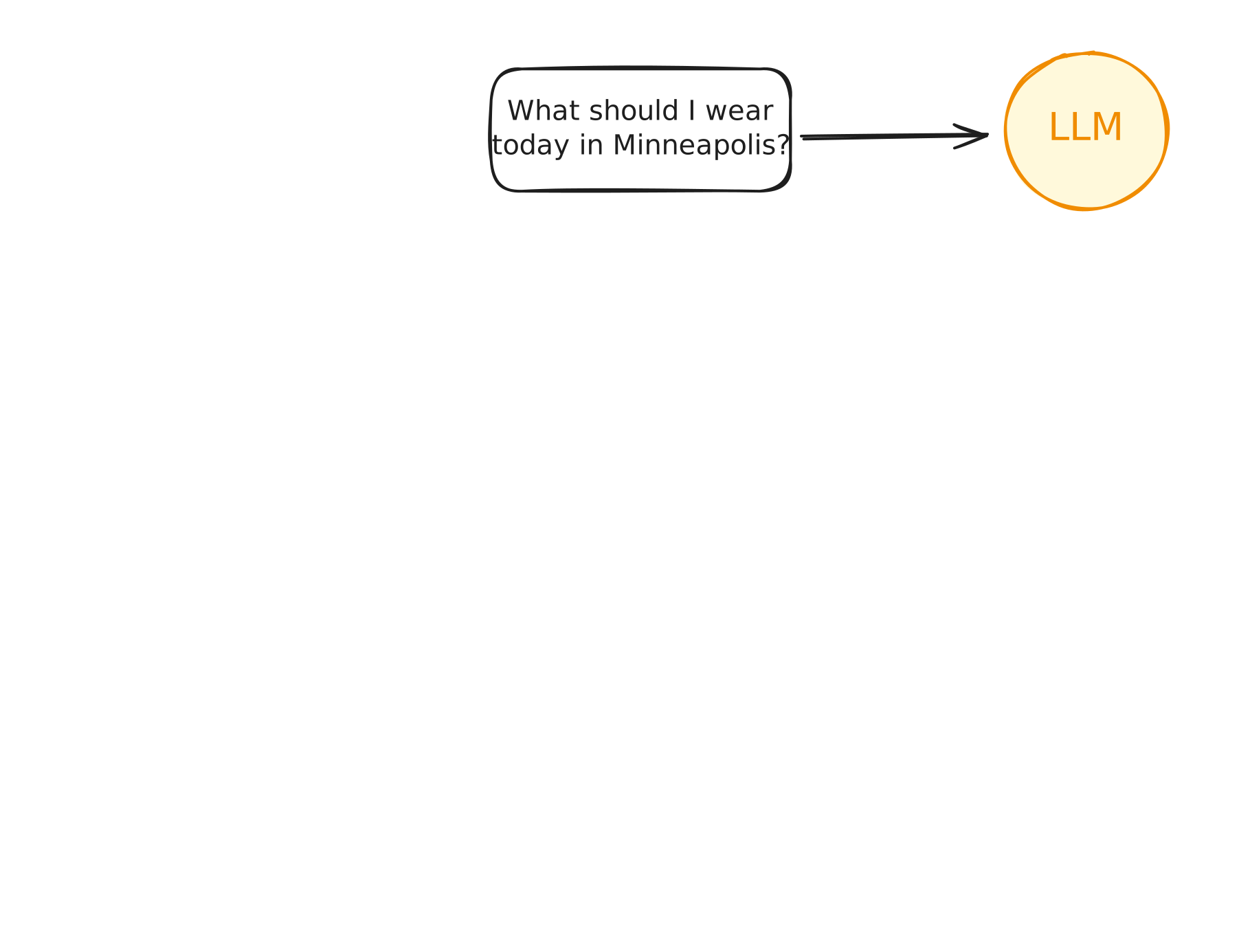
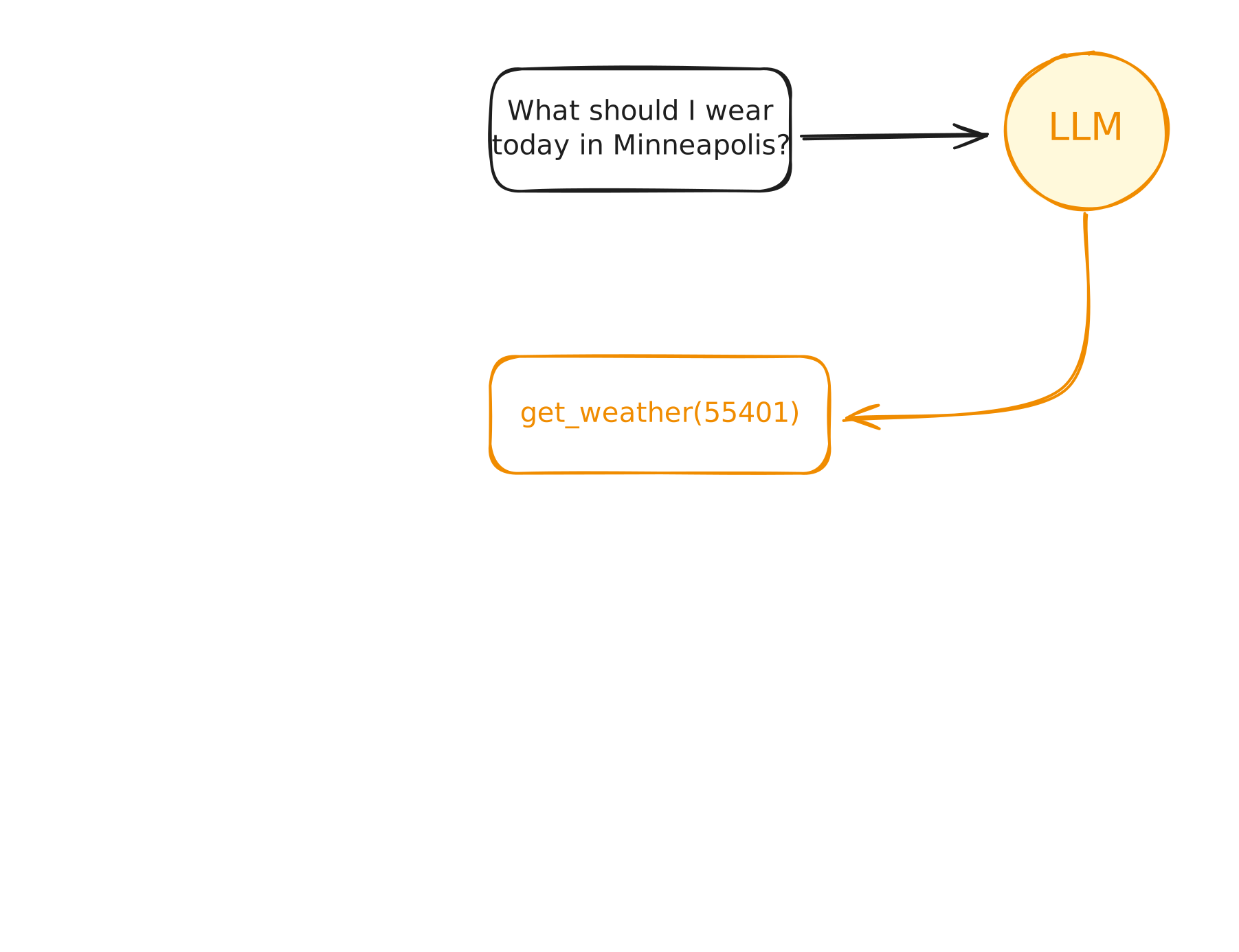
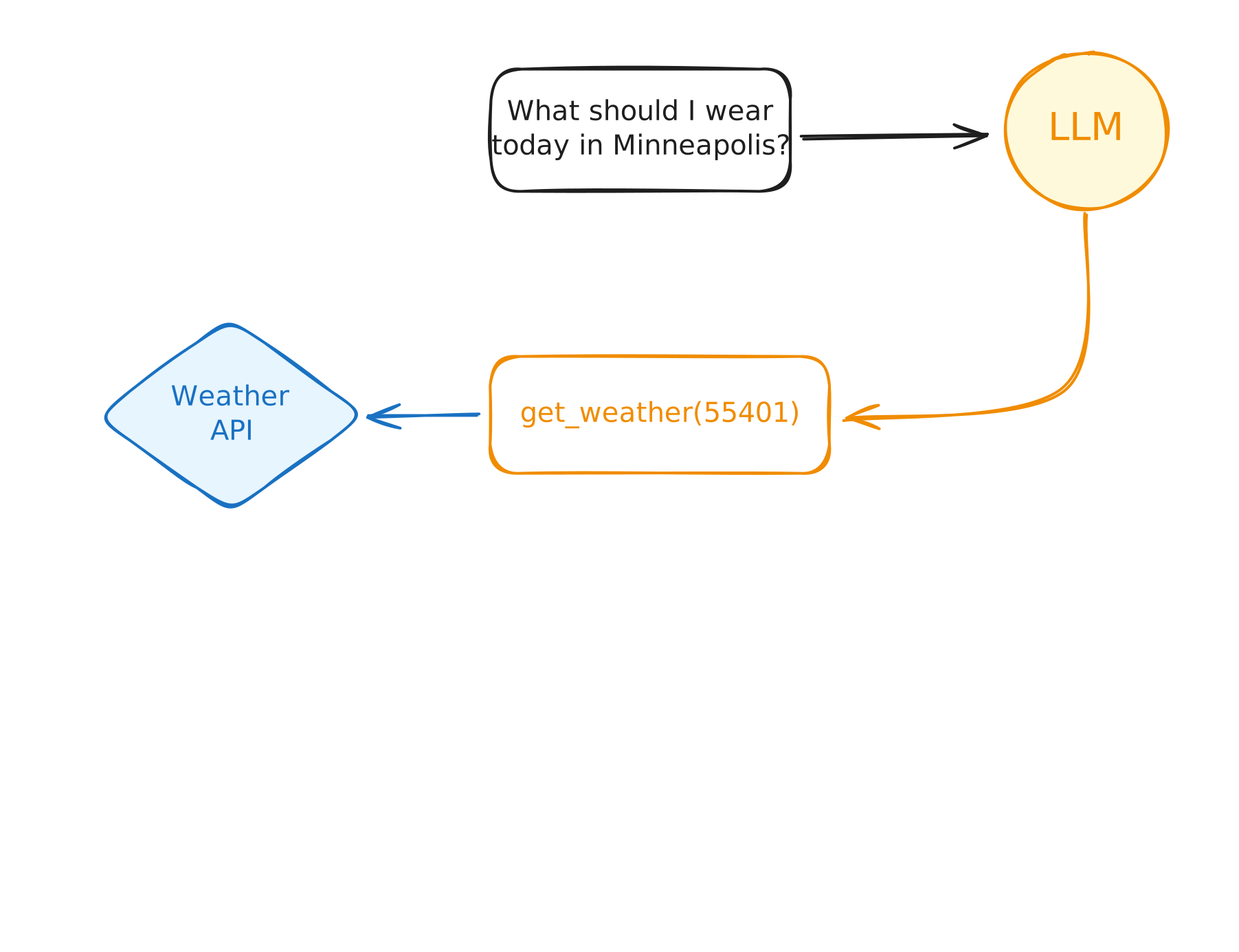
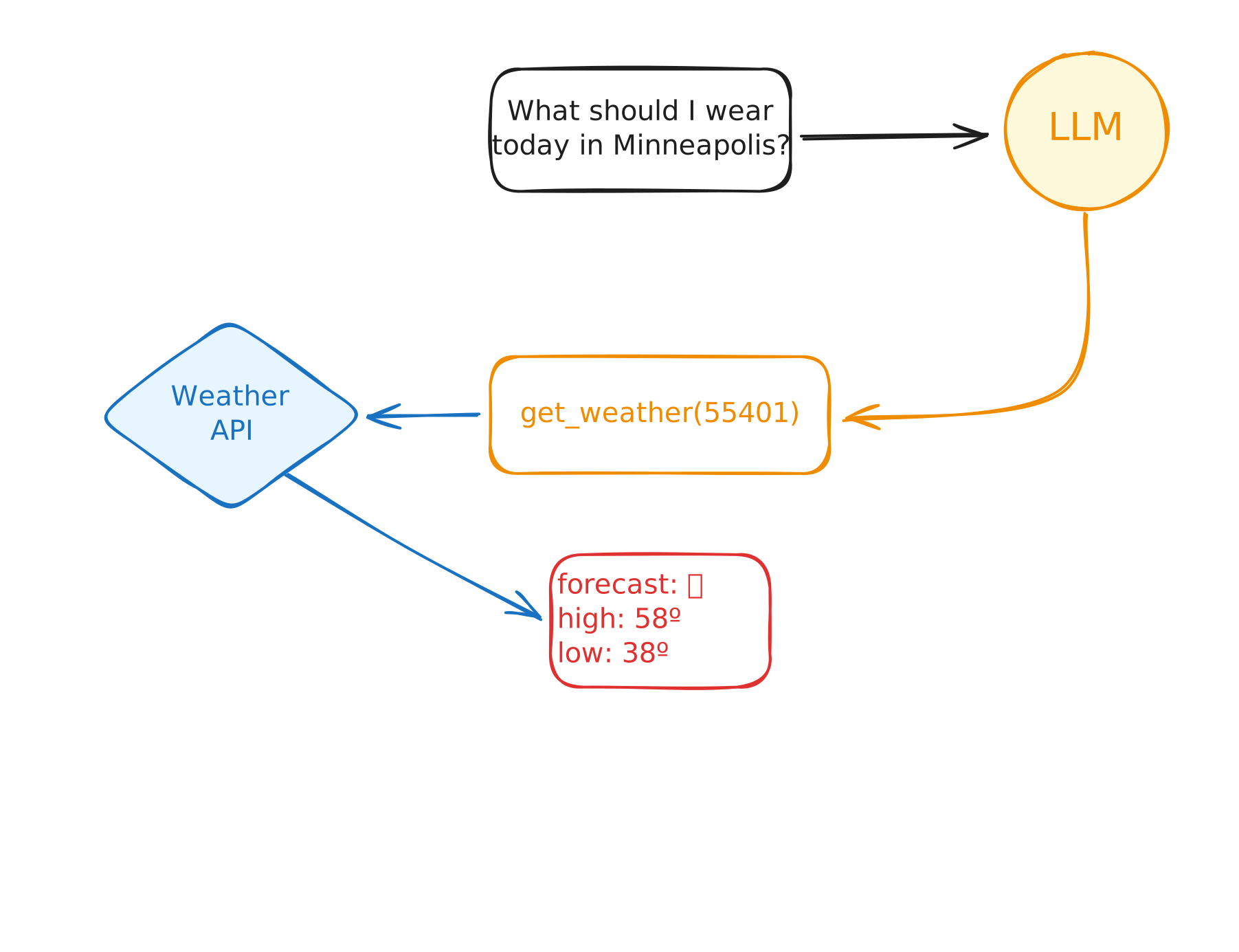
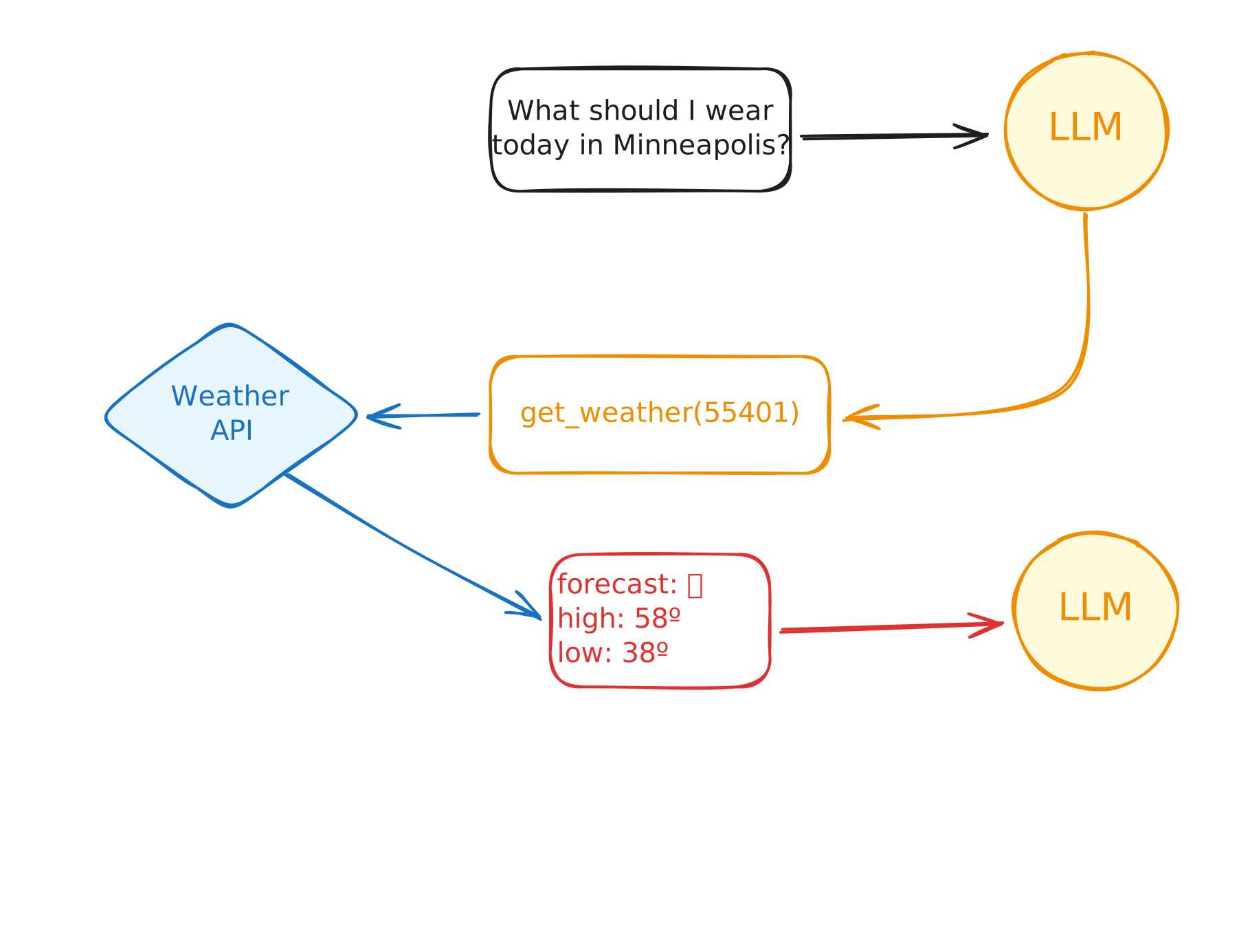
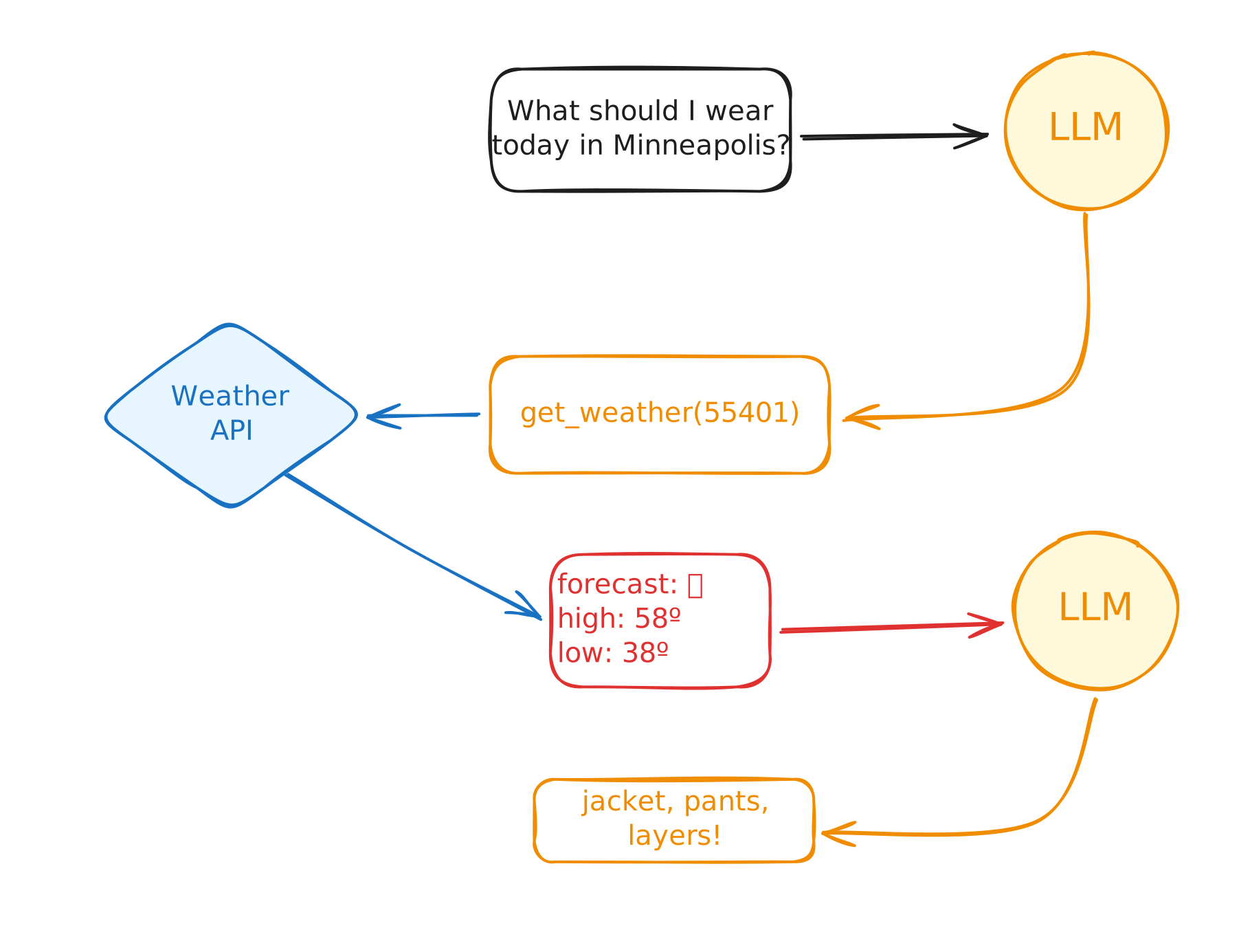
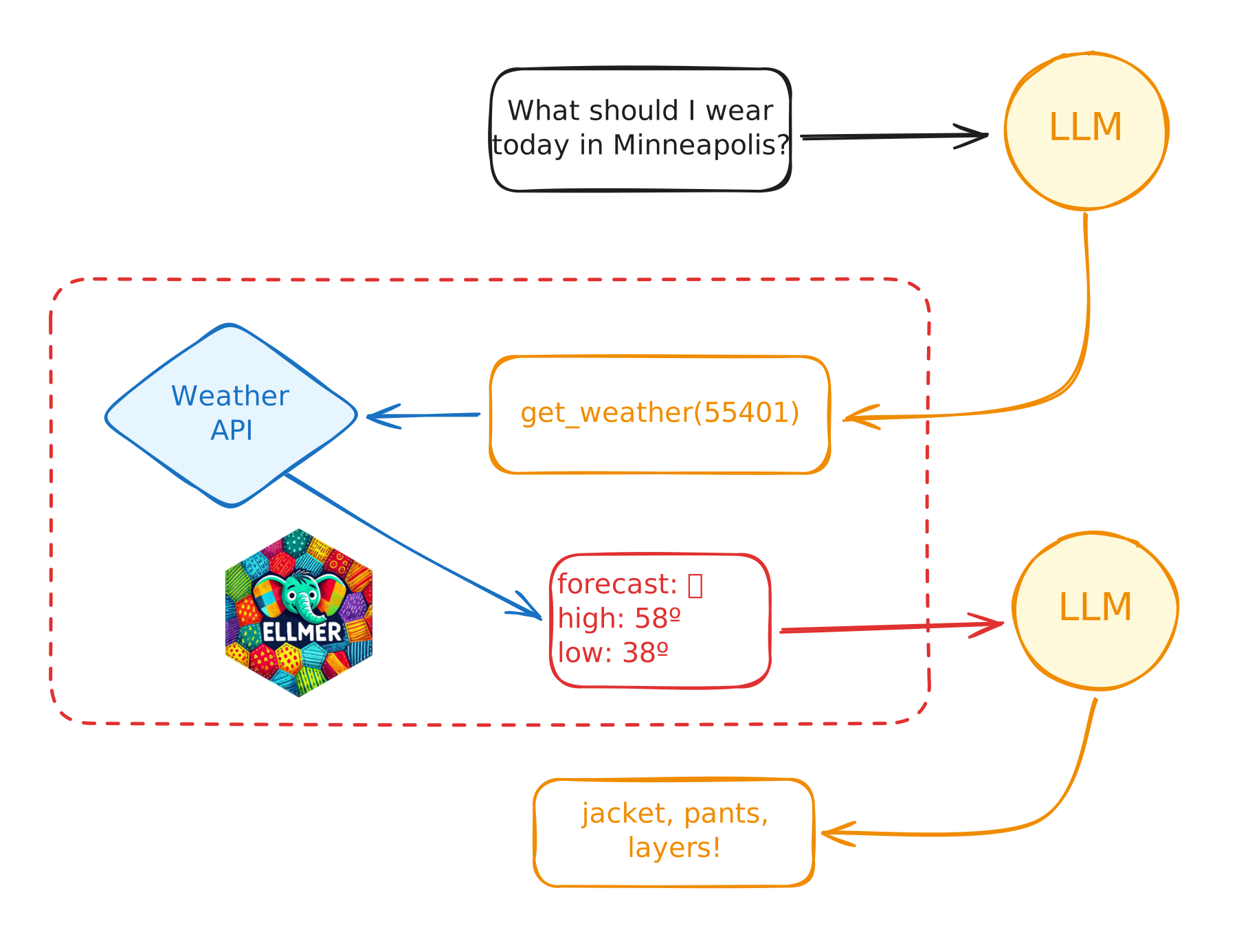
The LLM can’t run code by itself!
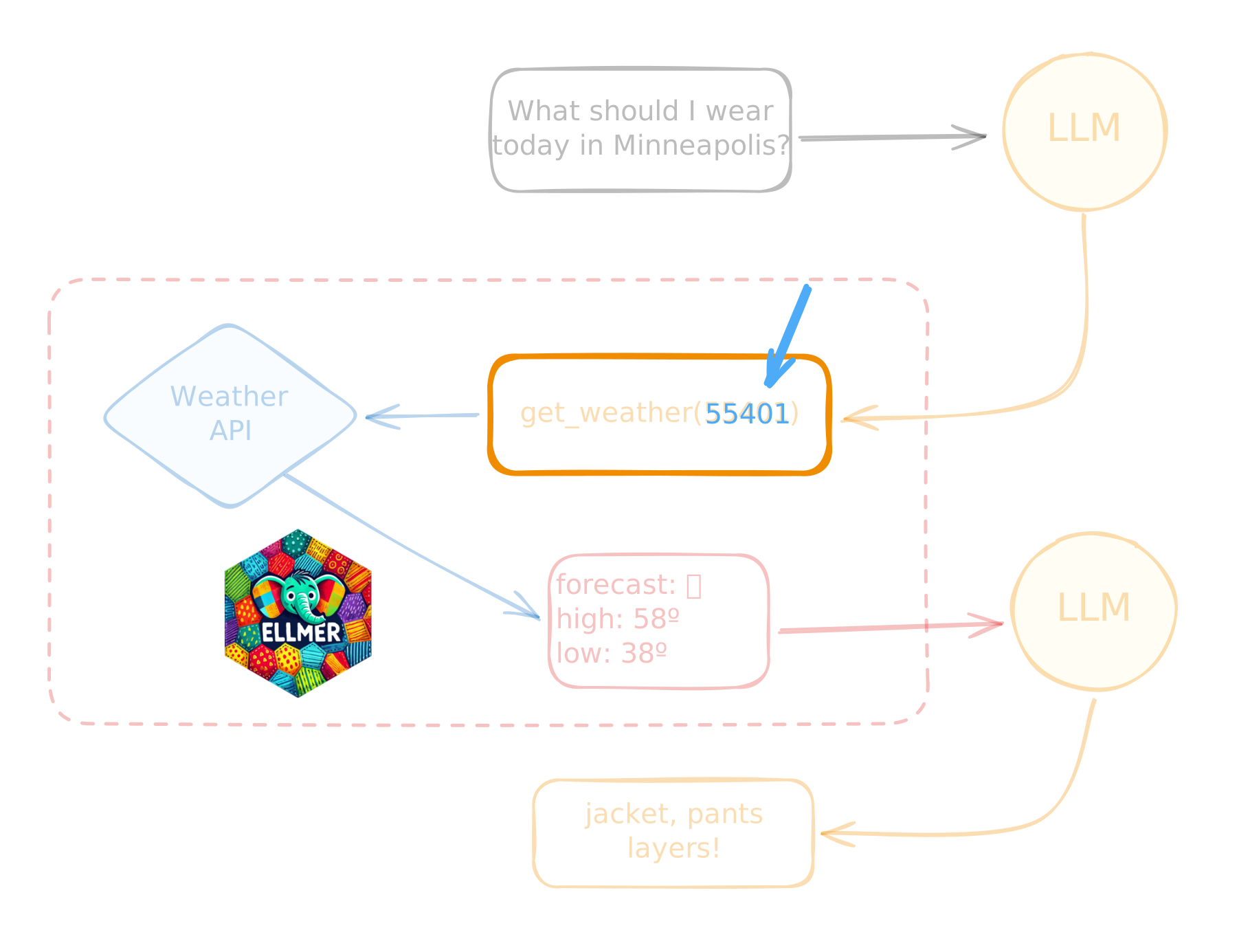
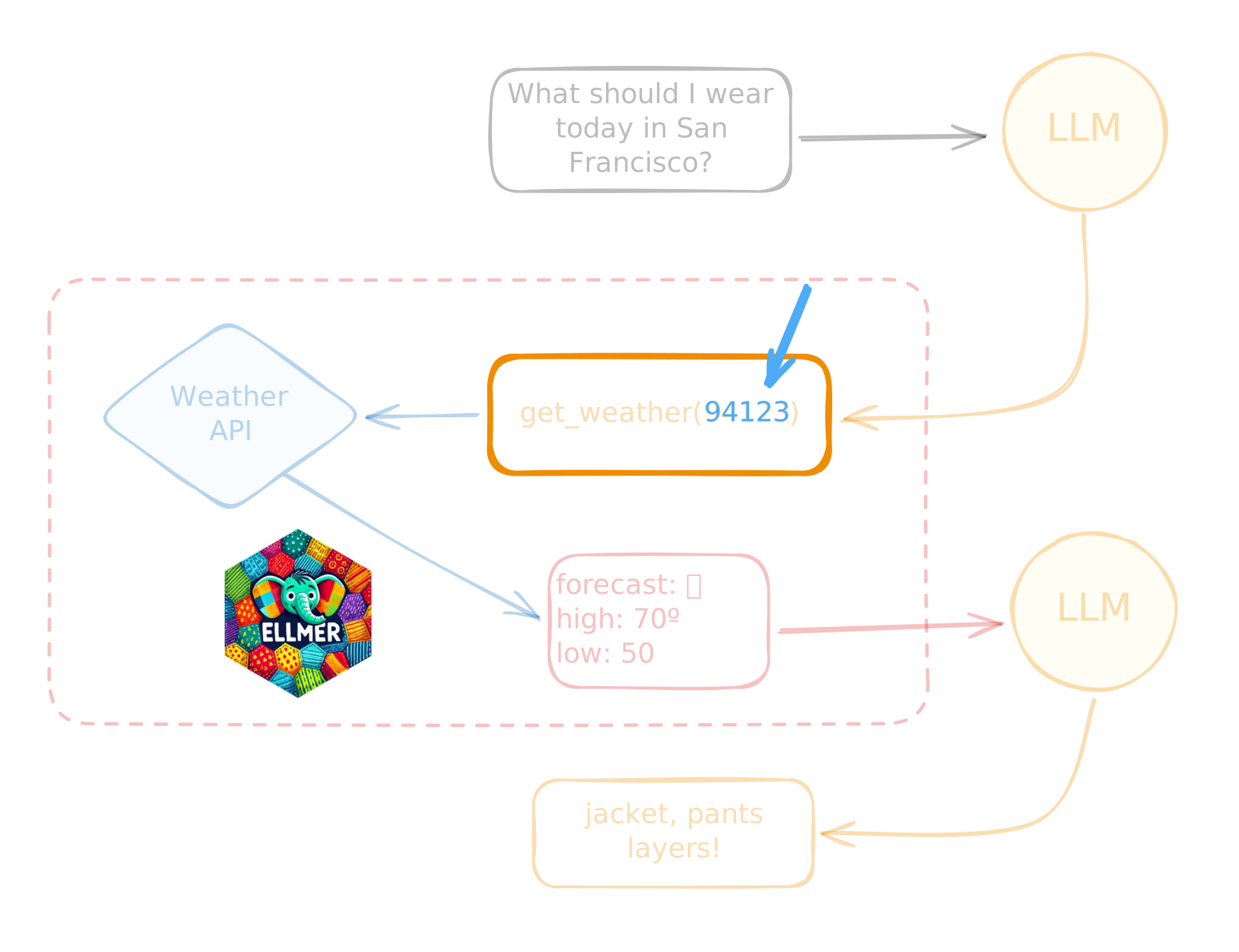
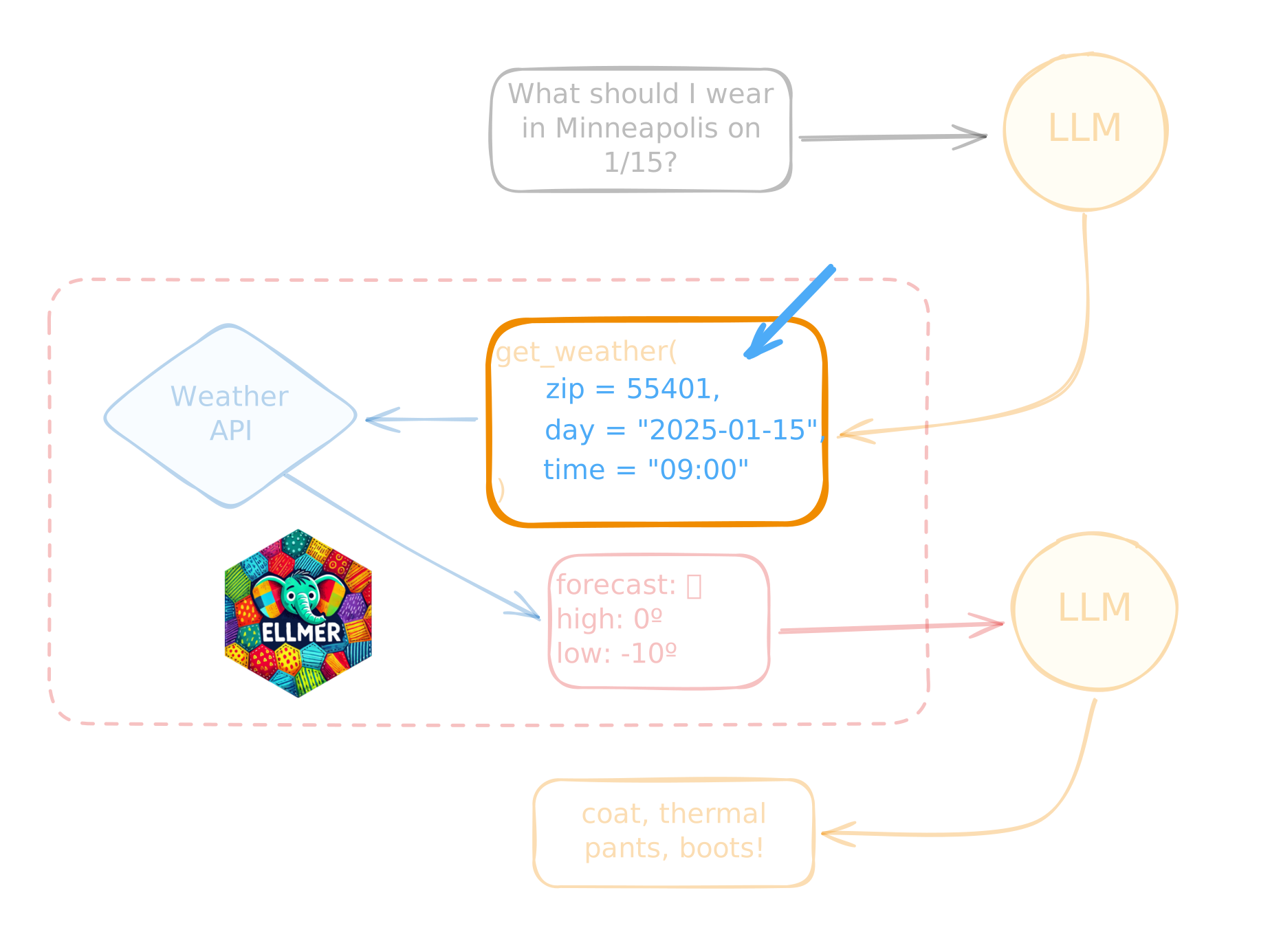
Demo: weather tool
👩💻 _demos/19_tools/19_weather-tool.R
Tools in R
Step 1: Write a (normal) R function
Step 2: Define the tool
Step 2: Define the tool
Step 3: Register the tool
Your Turn 10_quiz-game-2
I’ve given you a function that plays a sound when called (
play_sound()).Your job: give the model the ability to play sounds in the Quiz Show game we made earlier.
You will need to fill out the tool definition and register the tool.
06:00
Tools in Shiny
Define the tool function inside the server
You can update reactive values in the tool function!
Learn more

Learn more
querychat: https://github.com/posit-dev/querychat
- Chat with your data using natural language queries.
ggbot2: https://github.com/tidyverse/ggbot2
- Talk out loud to create and iterate on plots.
Databot: https://positron.posit.co/databot.html
- EDA assistant for Positron.
Posit AI newsletter: https://posit.co/blog/?post_tag=ai-newsletter